
Moving Pokemon between games
PKForge moves Pokemon between any two supported games, Gen 1 to Gen 9, in either direction, through the Bank or directly from a save (+ > Send to another game… / Copy to another game…).
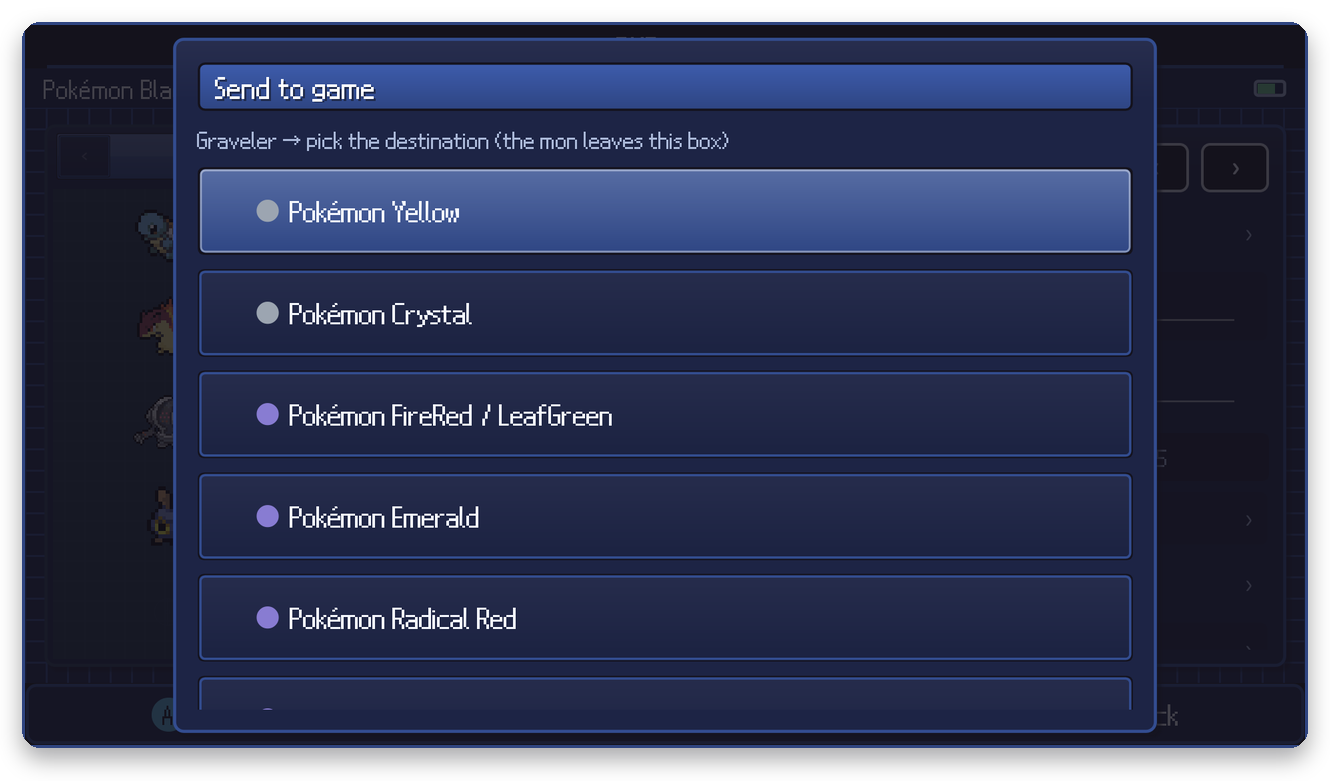
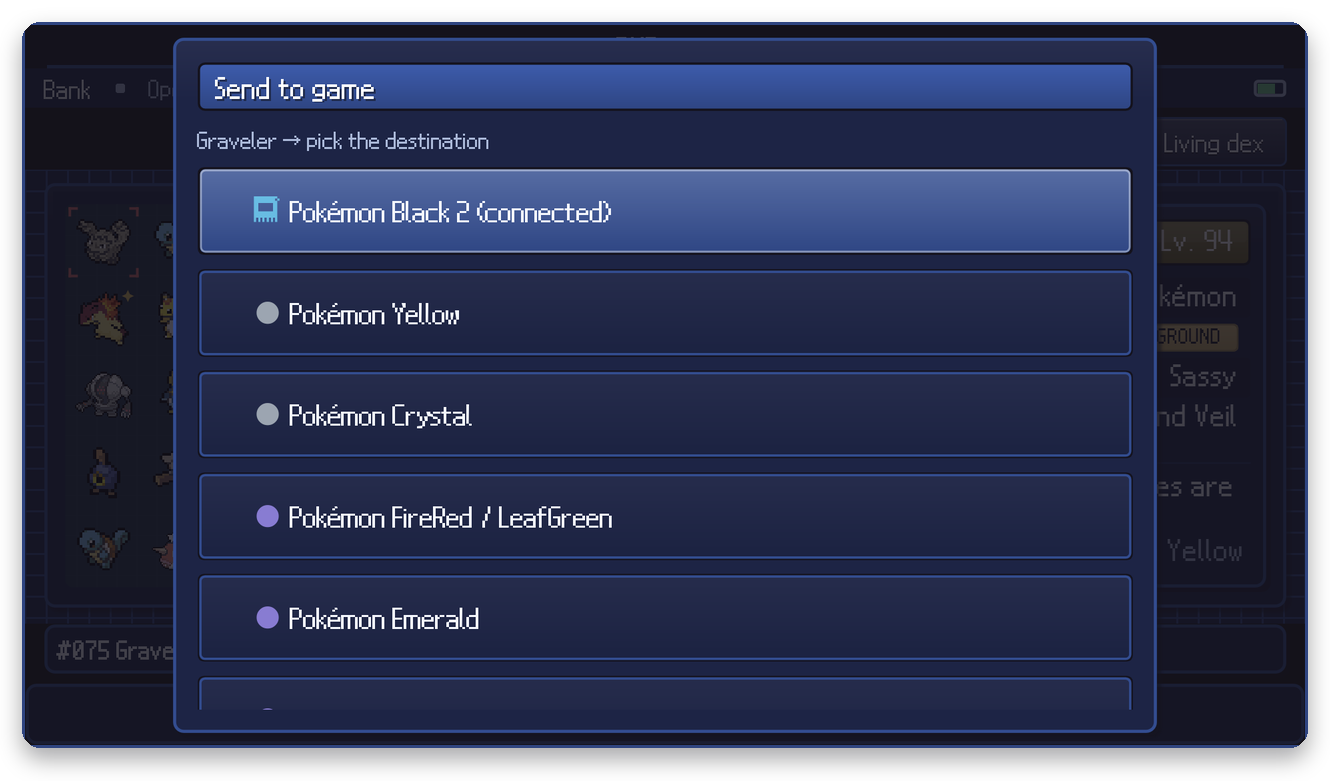
From the Bank, + > Send to game… lists every save on your shelf; the one currently open is marked connected:
The preview
Nothing is written until you confirm. PKForge converts the Pokemon in memory first and shows what changes and whether the result is legal:
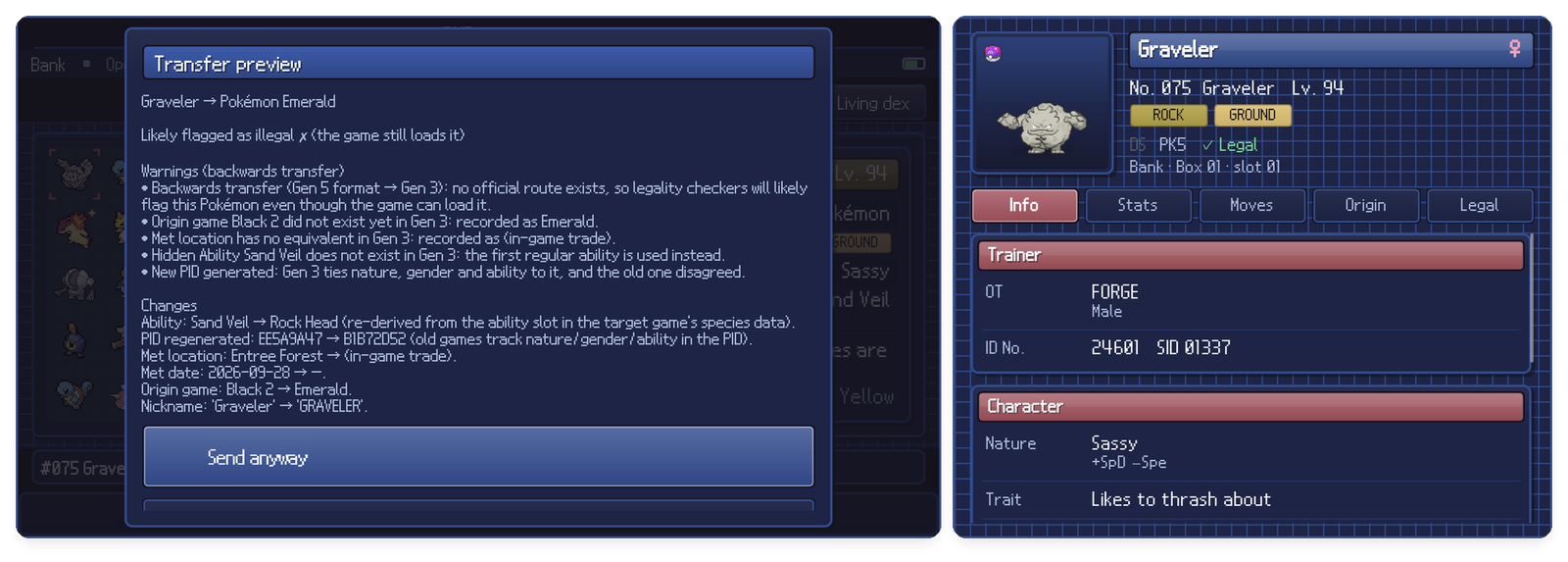
This example sends a Gen 5 Pokemon back to Gen 3, which no official route allows, so the preview explains each consequence: the hidden ability is replaced by a regular one, the met location has no Gen 3 equivalent, a new PID is generated because Gen 3 ties nature, gender and ability to it, and legality checkers will flag it even though the game loads it.
| Case | What you get |
|---|---|
| Forward transfer that official games allow | A clean, legal transfer. |
| Illegal result or a downgrade | Allowed, never silent: the warnings are listed and the button becomes Send anyway. |
| The species or item cannot exist in the target game | Refused, with the reason. |
The Pokemon lands in the first empty slot of the destination. The destination save gets a restore point before the write, like every write. Send removes the Pokemon from where it came from only after the destination write succeeded.
Tips
- Close the destination game's emulator before sending, like any edit.
- To move many at once, use multi-select (in a save) or marks (in the Bank), then Move to another game….
- In Hardcore mode only moves are allowed, never copies.