
The Home screen
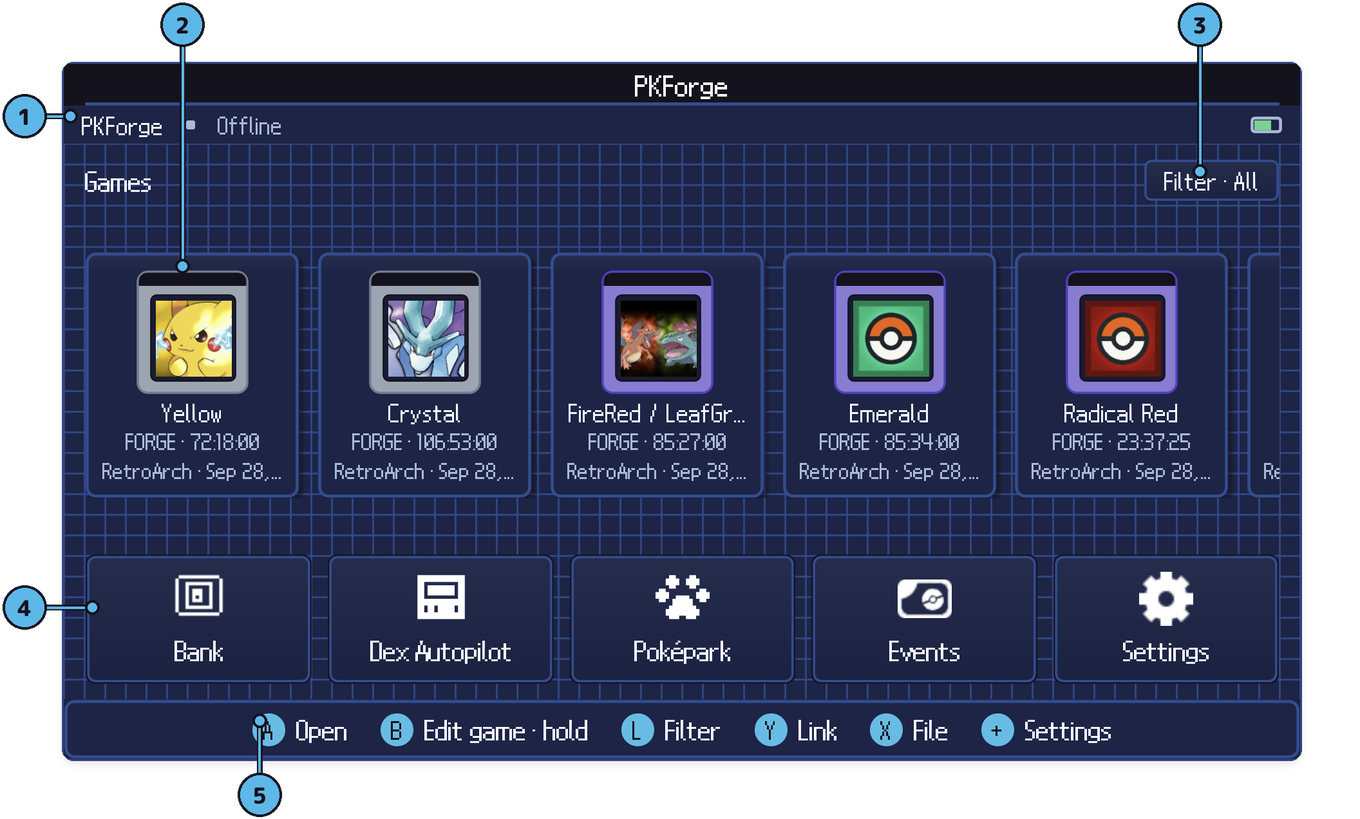
- Status strip. Which save is open, and whether you are online.
- The shelf. One cartridge per game, with the trainer name, play time and where the save came from. Several saves of the same game share one cartridge with a
×Nbadge. - Filter. Sort or filter the shelf: release order, A–Z, by console, by generation.
- Hub tiles. Bank, Dex Autopilot, Poképark, Events, Settings.
- Footer. The buttons for this screen: A open, B edit game, L filter, Y link, X file, + settings.
Opening a save
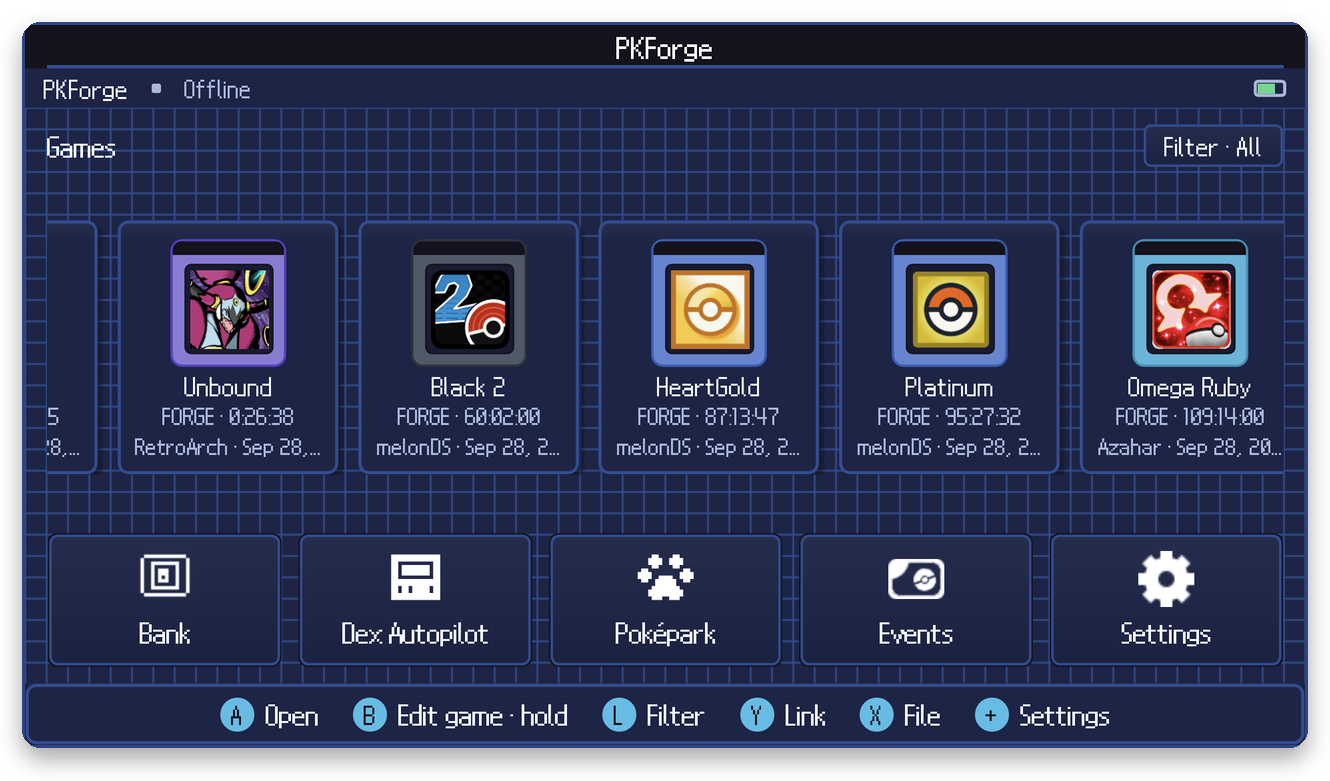
Select a cartridge and press A. If the cartridge holds several saves, PKForge asks which one.
Same-save editions. FireRed / LeafGreen, Ruby / Sapphire and Diamond / Pearl write the same file, so PKForge cannot tell them apart. The first time you open one, it asks which version it is (or Decide later). You can change the answer from the game's menu.
Editing a cartridge
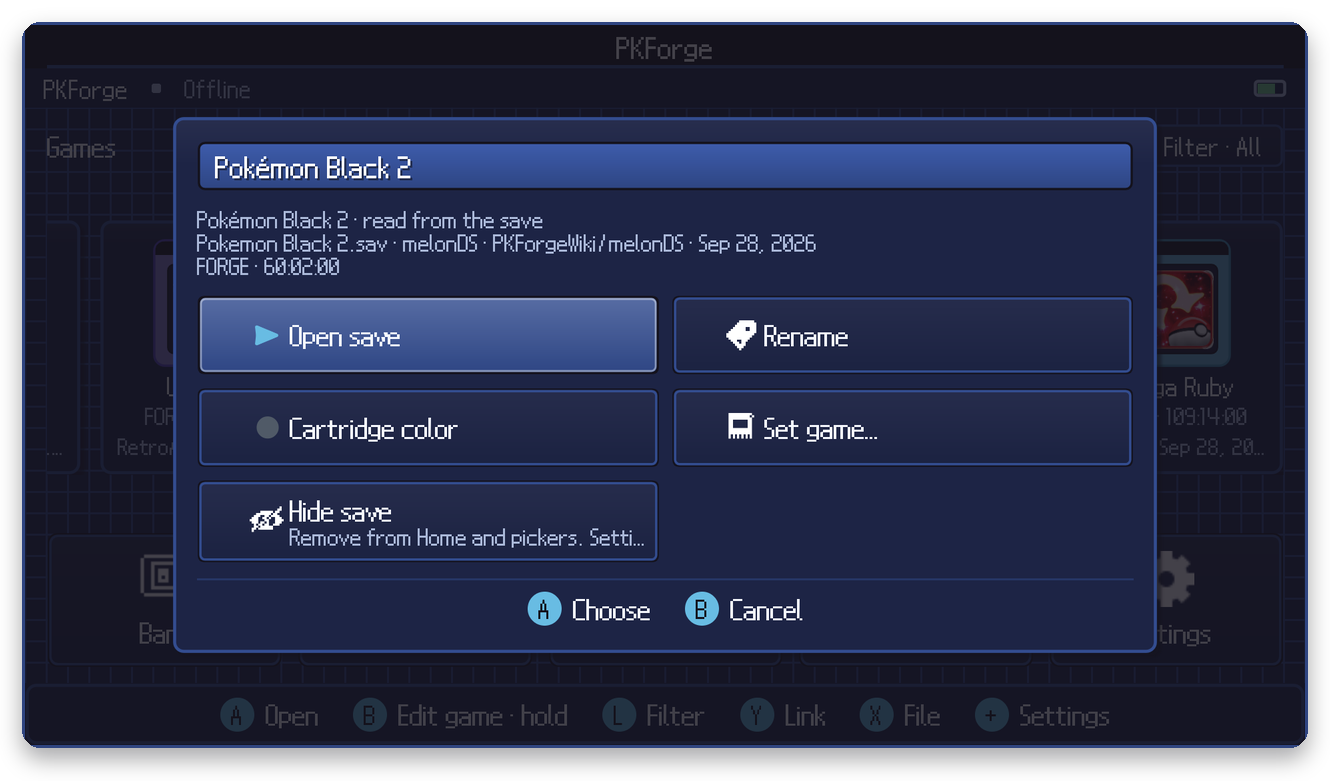
Press B on a cartridge (or long-press it) to:
- Rename it on the shelf (the save itself is not renamed);
- change its cartridge color;
- Set game… when the edition is ambiguous or you want to override it;
- Hide it from Home and pickers. Hidden saves come back from Settings > Show hidden saves.
On a dual-screen device
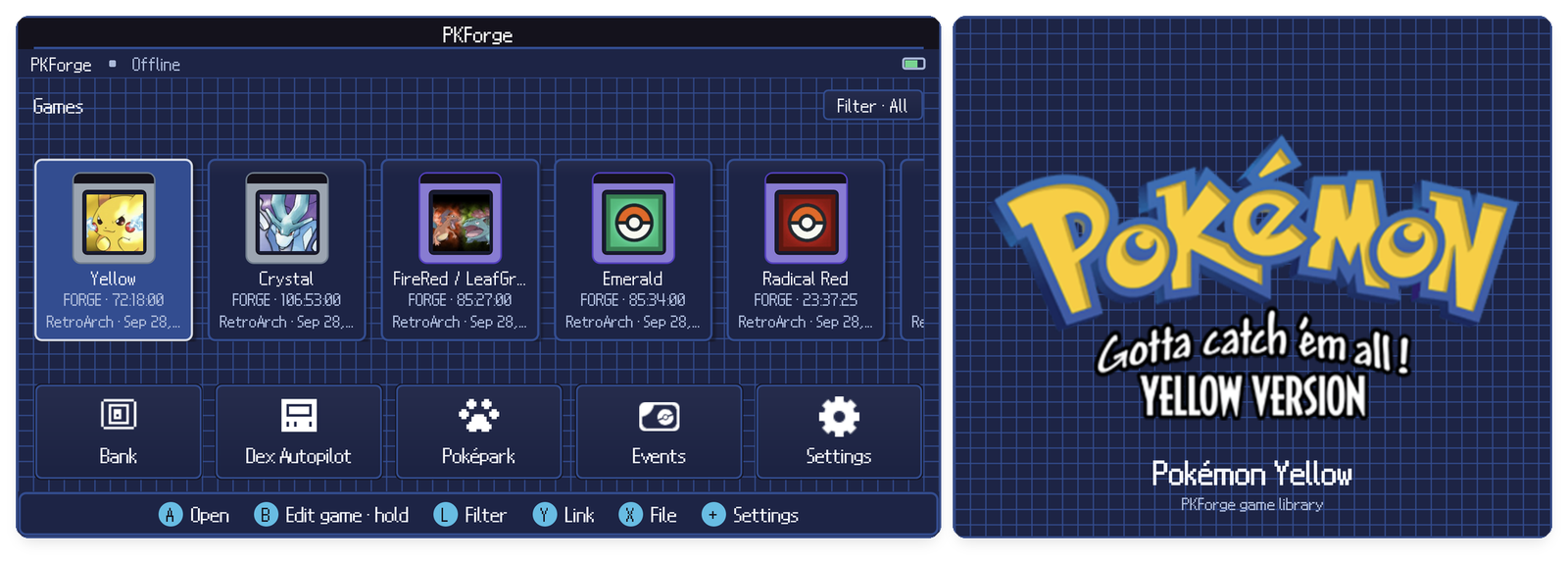
The second screen shows the art of the highlighted game. See Controls & dual screens.