

The PKForge manual
A Pokemon save editor and cross-game Bank for Android, built for dual-screen handhelds.
PKForge opens the save files your emulators already write, lets you edit and move your Pokemon, and keeps a restore point before every change. This wiki explains every screen, how to link each emulator, and how ROM hack developers can get their game supported.
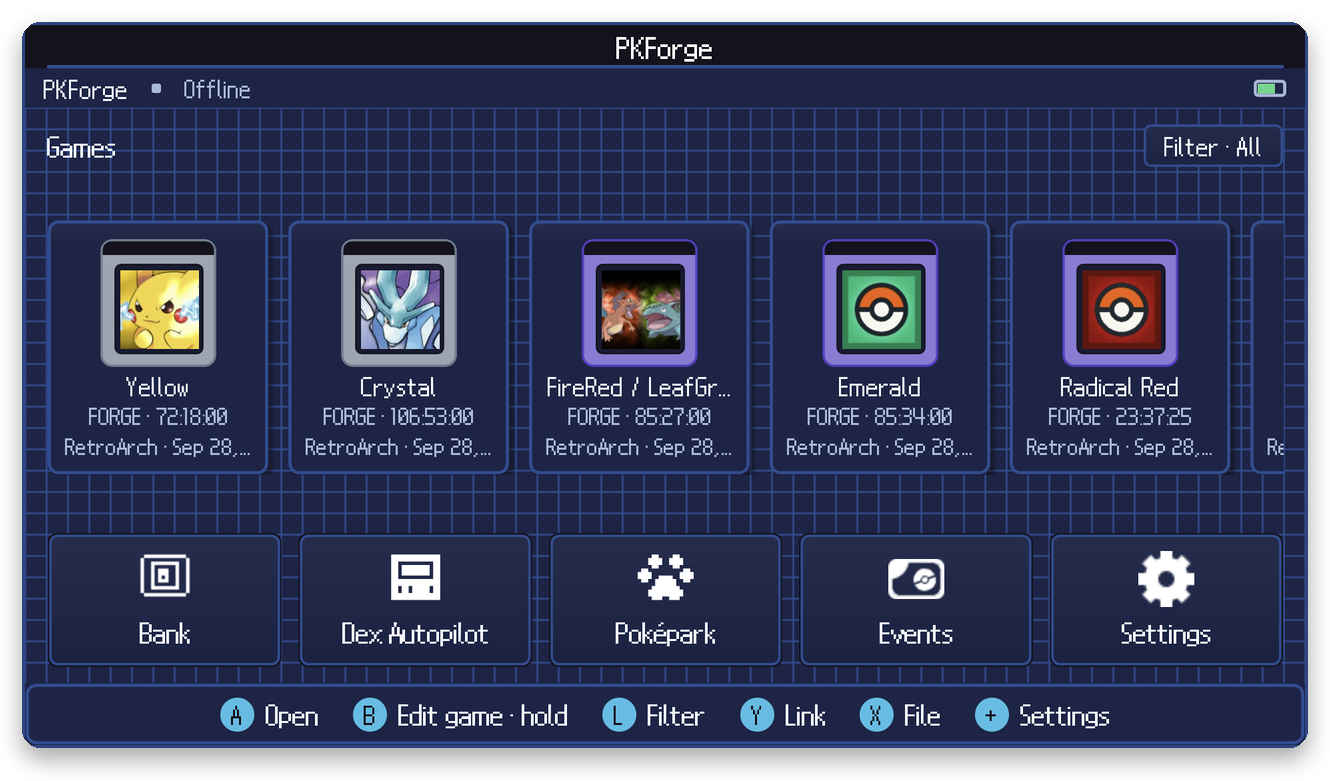
Start here
| New to PKForge? | Getting Started, then Linking your emulator, Choosing the right folder and The Home screen |
| Link an emulator | RetroArch · Pizza Boy · Linkboy · melonDS · DraStic · Dolphin · Azahar / Lime3DS · Citra MMJ · Eden · Other emulators · Single save file |
| Edit a save | The box view · Editing a Pokemon · Creating Pokemon · Legality · Save data editors · Storage tools |
| Your collection | The Bank · Moving Pokemon between games · Mystery Gift & events · Living Dex Autopilot · Poképark |
| Staying safe | Restore points & write safety · Troubleshooting · FAQ |
| The app | Settings · Controls & dual screens · Supported games · ROM hacks |
| Build with us | For ROM hack developers · Contributing · Credits |
Before you edit
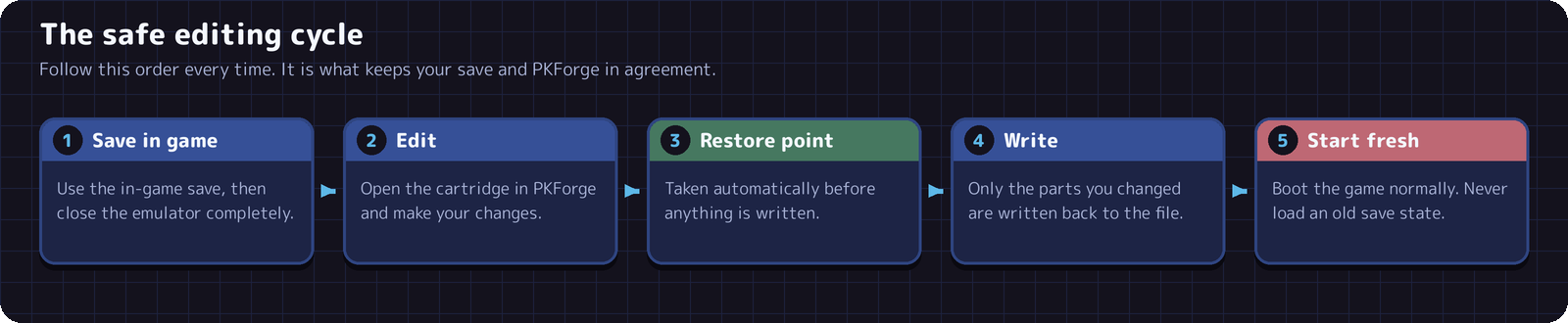
Save in game and close the emulator before you edit, and start the game normally afterwards. Do not load a save state made before the edit: it holds its own copy of the save and would undo your changes.
Links
- Download: latest download
- Community and support: Discord
- Source code: sofianeelhor/PKForge
PKForge is not affiliated with Nintendo, Game Freak, or The Pokemon Company.