
Linking your emulator
PKForge does not run inside your emulator and does not need root. It reads the folder your emulator already saves into, after you give it access once through Android's folder picker.
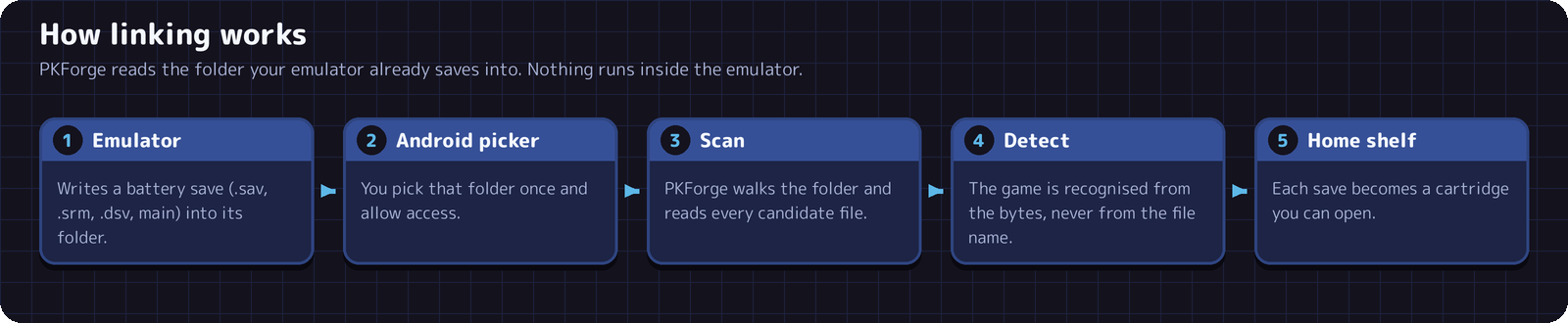
A linked folder is called a storage unit. It stays linked across restarts, and every Pokemon save found inside it appears on the Home shelf.
The steps
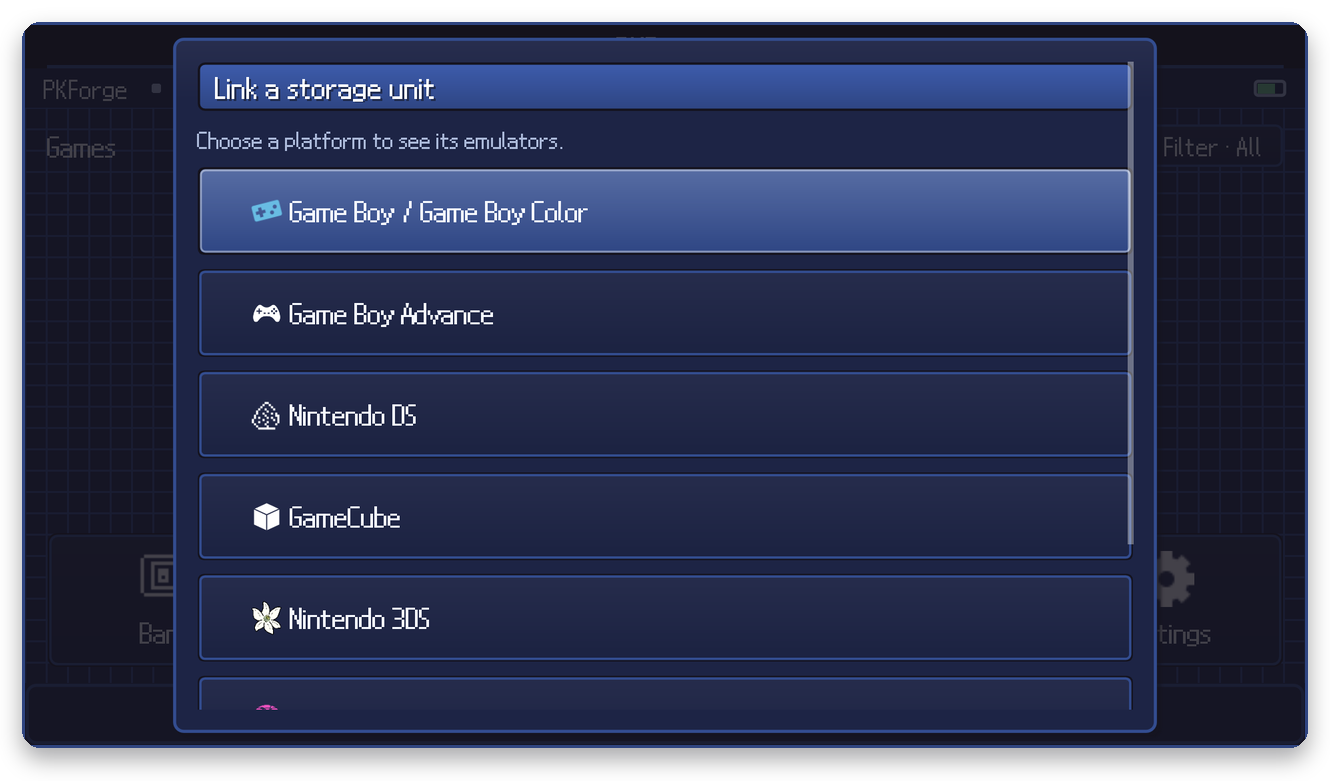
1. On Home press Y (Link), or open Settings > Link an emulator. Choose the platform:
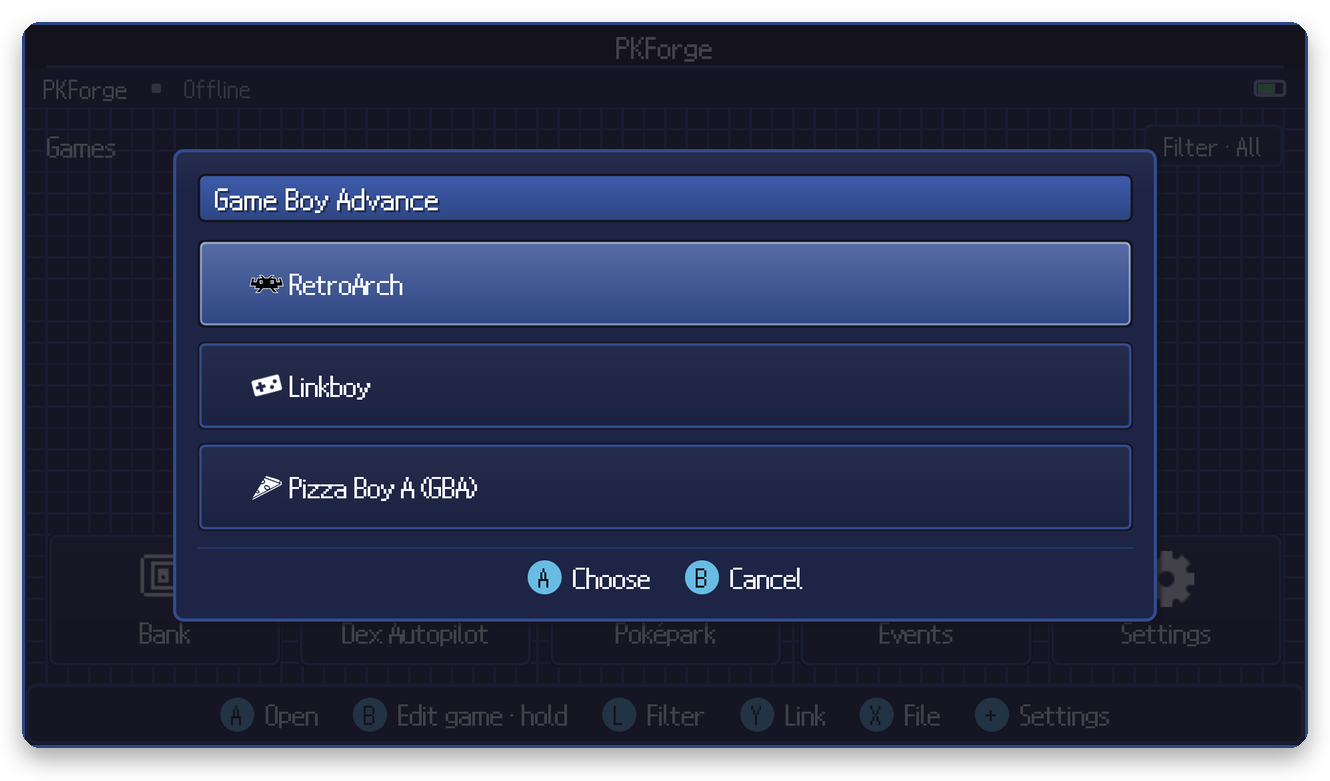
2. Choose your emulator. Each platform lists the emulators PKForge knows:
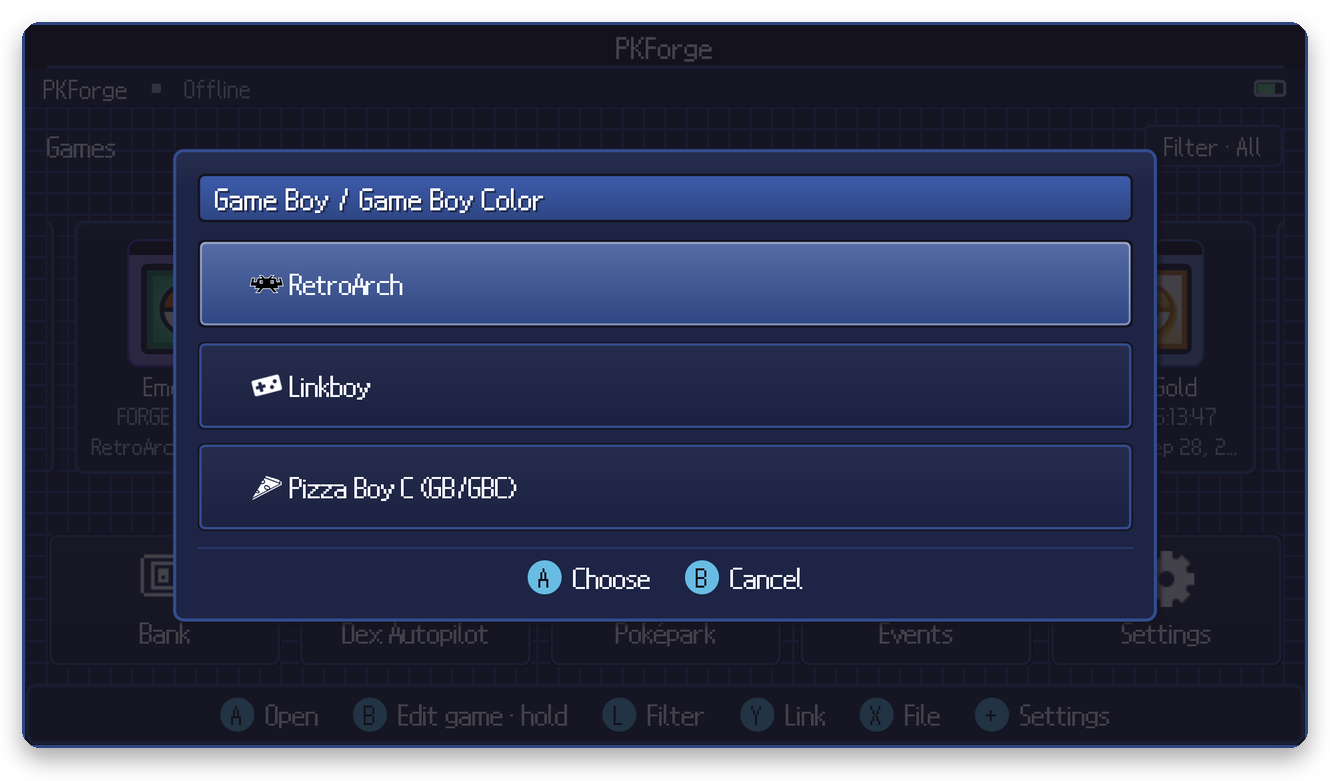
Game Boy / Game Boy Color, Nintendo DS and Nintendo 3DS:
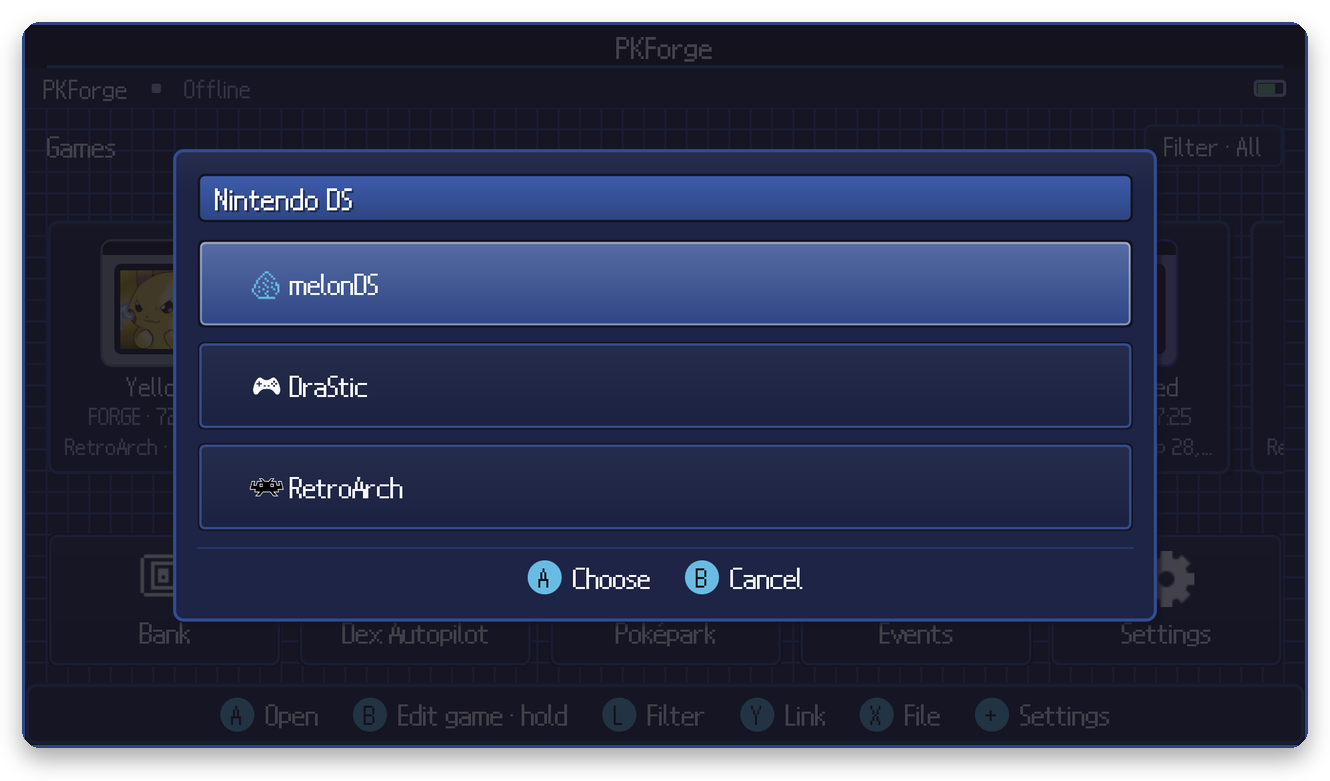
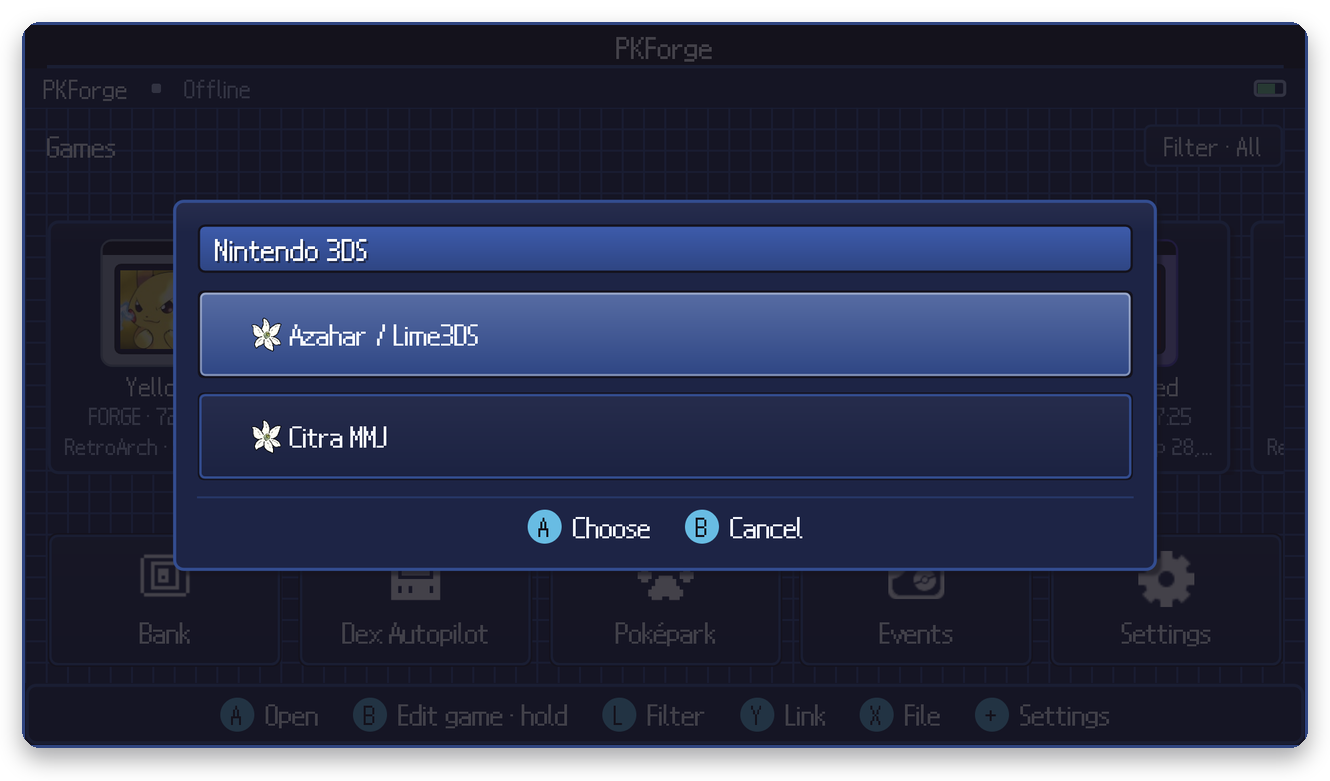
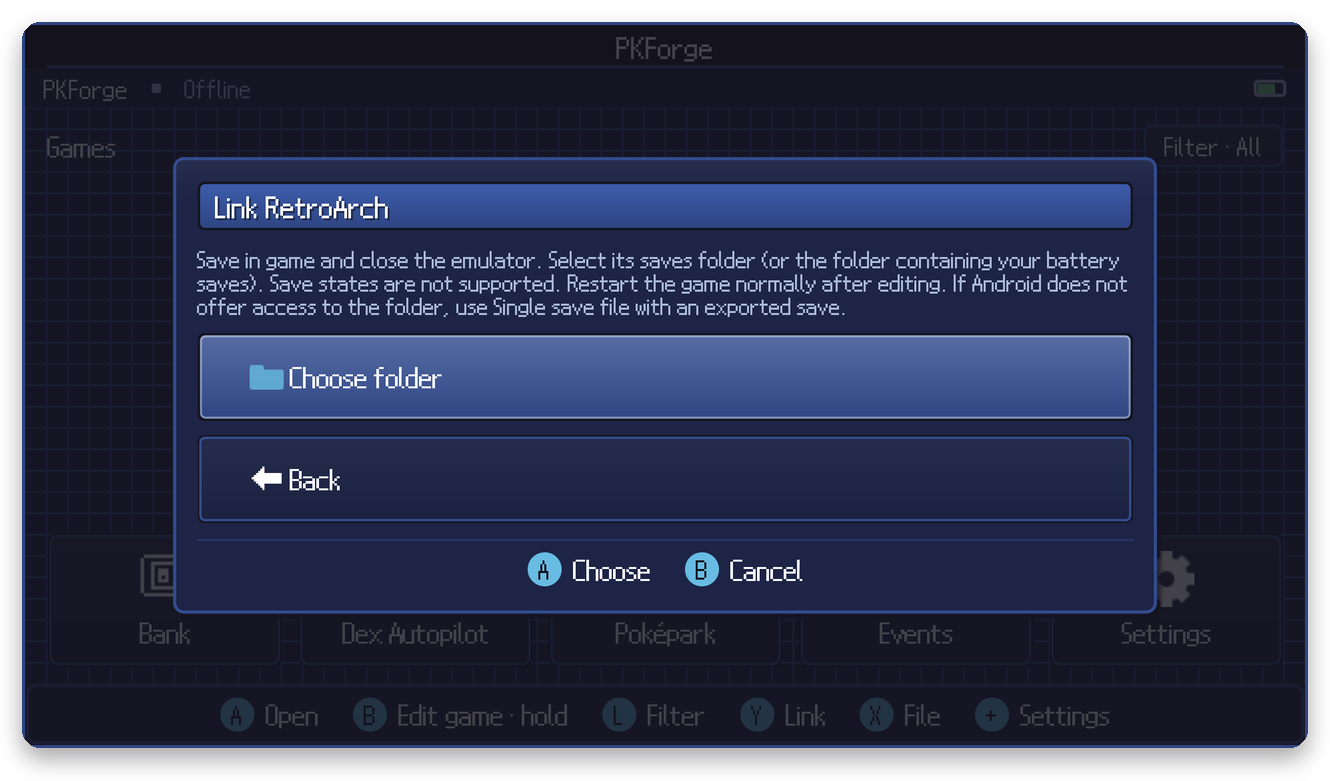
3. Read the short guidance, then press Choose folder:
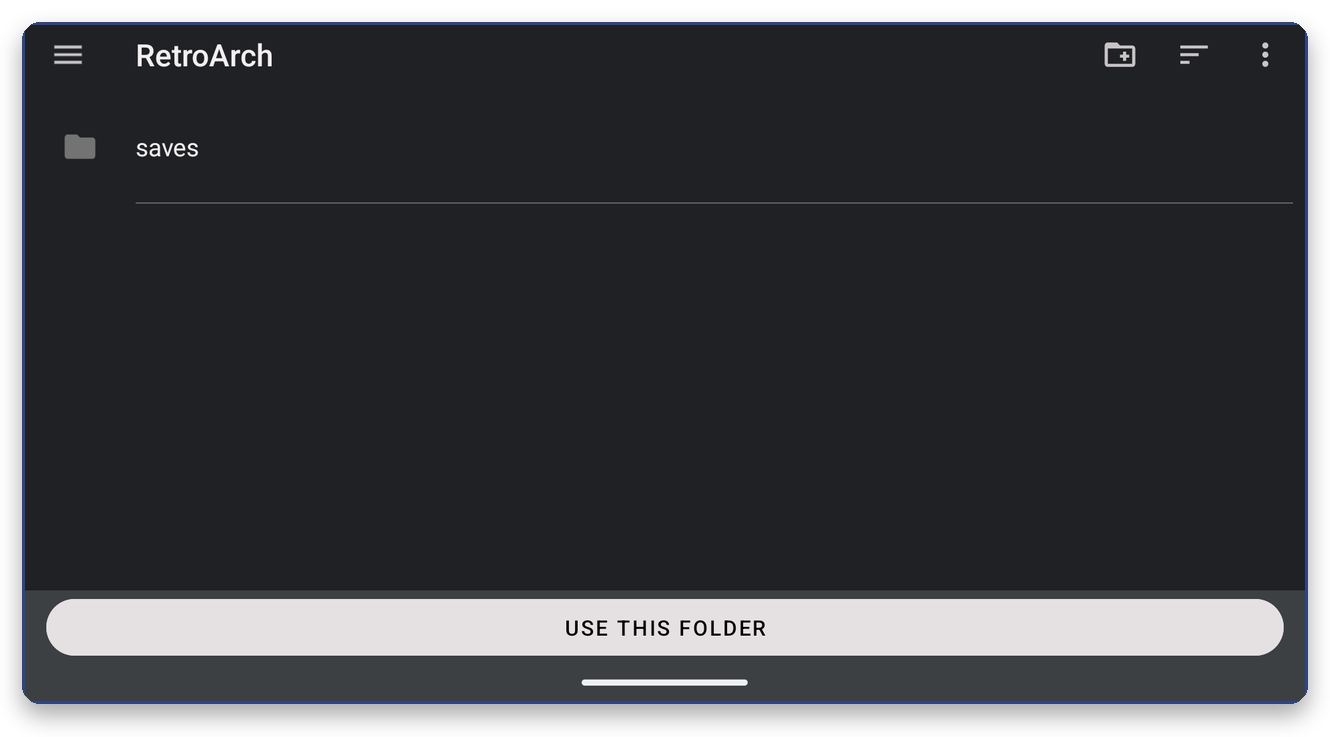
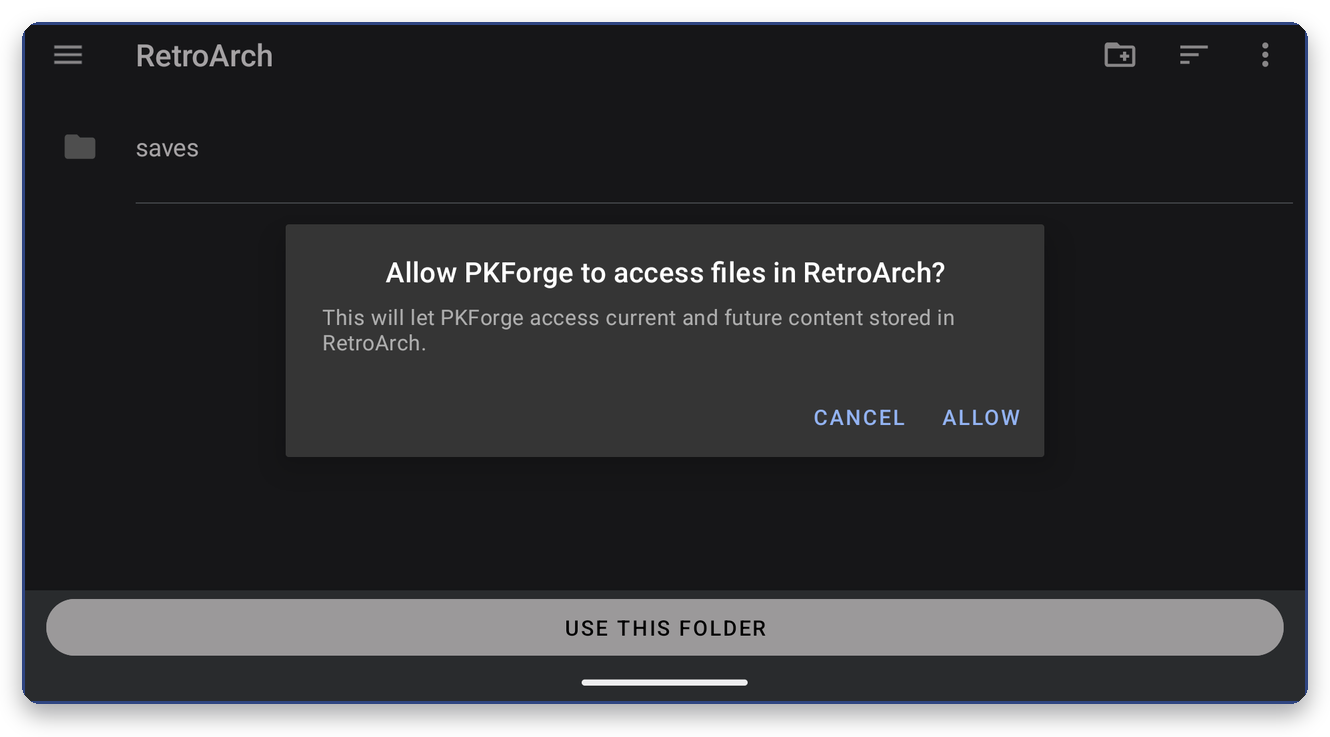
4. In the Android picker (see Choosing the right folder if you are unsure where to look), open the emulator's save folder and press Use this folder, then Allow:
5. PKForge scans the folder and tells you what it found:
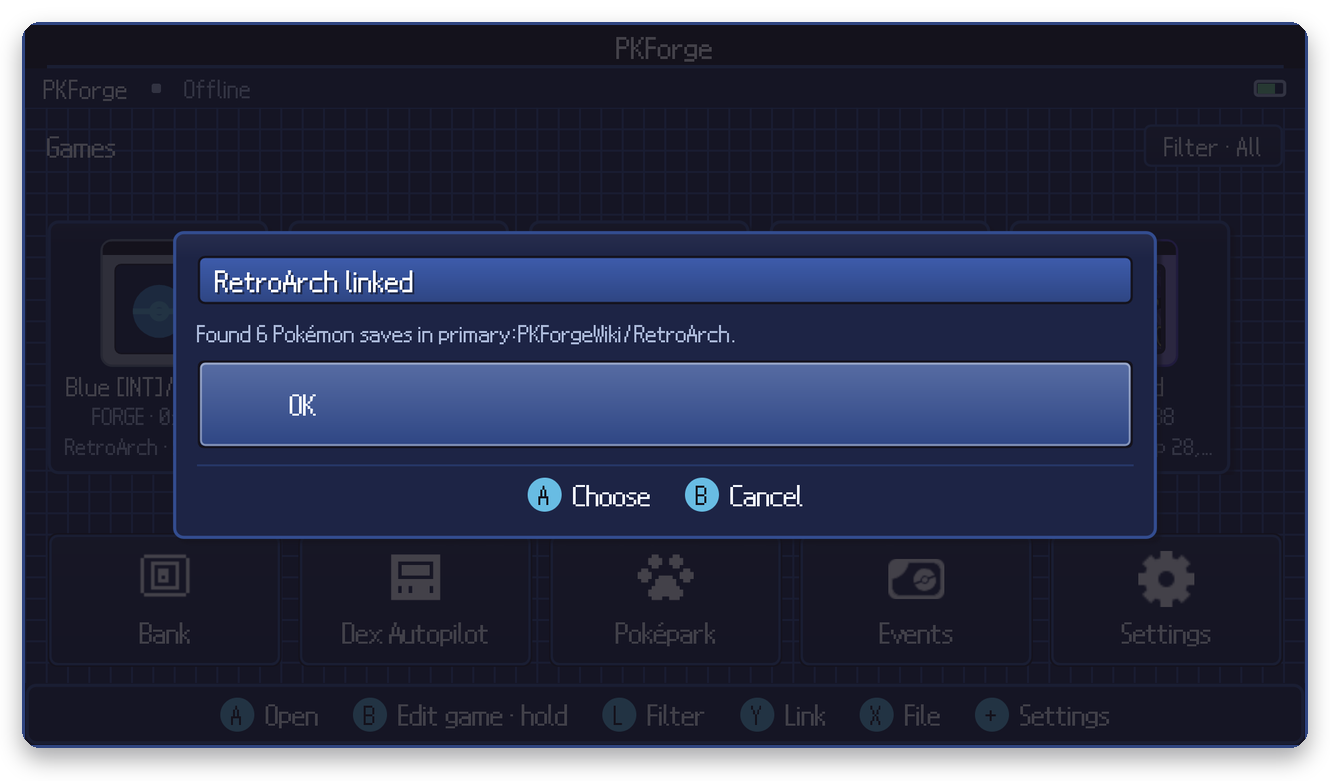
Your games are now on the Home shelf.
Which emulators, which folder
| Platform | Emulator | Pick this folder | Save files | Page |
|---|---|---|---|---|
| GB / GBC | RetroArch | RetroArch/saves (or the whole RetroArch folder) | .srm | RetroArch |
| GB / GBC | Pizza Boy C | the folder holding its .sav battery saves | .sav | Pizza Boy |
| GB / GBC, GBA | Linkboy | its saves folder | battery saves | Linkboy |
| GBA | RetroArch | RetroArch/saves | .srm | RetroArch |
| GBA | Pizza Boy A | the folder holding its .sav battery saves | .sav | Pizza Boy |
| DS | melonDS | next to your ROMs, or melonDS's save folder | .sav | melonDS |
| DS | DraStic | DraStic/backup | .dsv | DraStic |
| DS | RetroArch | RetroArch/saves | .srm | RetroArch |
| GameCube | Dolphin | the GC folder, a region folder, or Card A / Card B | .gci | Dolphin |
| 3DS | Azahar / Lime3DS | the user folder you chose in its setup (the one containing sdmc) | main | Azahar / Lime3DS |
| 3DS | Citra MMJ | citra-emu (through the Citra MMJ entry in the picker) | main | Citra MMJ |
| Switch | Eden | its files root (the folder containing the emulated storage) | main, *.bin | Eden |
Not in the list? See Other emulators and Single save file.
How PKForge finds your saves
- The game is detected from the file's content, not its name or extension. Renaming a file never changes which game PKForge thinks it is.
- File names only act as a quick first filter: files ending in
.sav .srm .bin .dat .gci .dsv .bak .main, or with no extension, are read. Empty files and files larger than 32 MB are skipped. - Folders that never hold battery saves are skipped to keep scans fast:
states,cheats,config,cores,shaders,screenshots,thumbnails,system,playlistsand similar. RetroArch'sromsfolder is skipped too. - Save states are never read. PKForge edits the battery save (the in-game save), which is what the game loads when it boots normally.
- A scan runs once each time PKForge starts. After adding new saves, use Settings > Misc > Rescan games.
"No saves found"
If a link finds nothing, the folder still stays linked and PKForge tells you where to point instead. The usual causes:
- Wrong folder. See Choosing the right folder.
- Wrong level of folder. Pick the folder that contains the saves (or its parent), not a file and not an unrelated folder.
- The emulator keeps saves elsewhere. Many emulators have a "save folder" setting. Check it and link that folder.
- The file is not a Pokemon save. Files that look like saves but do not read as one are counted as rejected in the scan report.
- Android hides the folder. Some emulators keep saves in
Android/data/..., which newer Android versions do not show in the picker. Export the save from the emulator and use Single save file.
Settings > Misc > Scan report shows what was scanned, accepted and rejected, and why. You can copy it and send it to us on Discord.
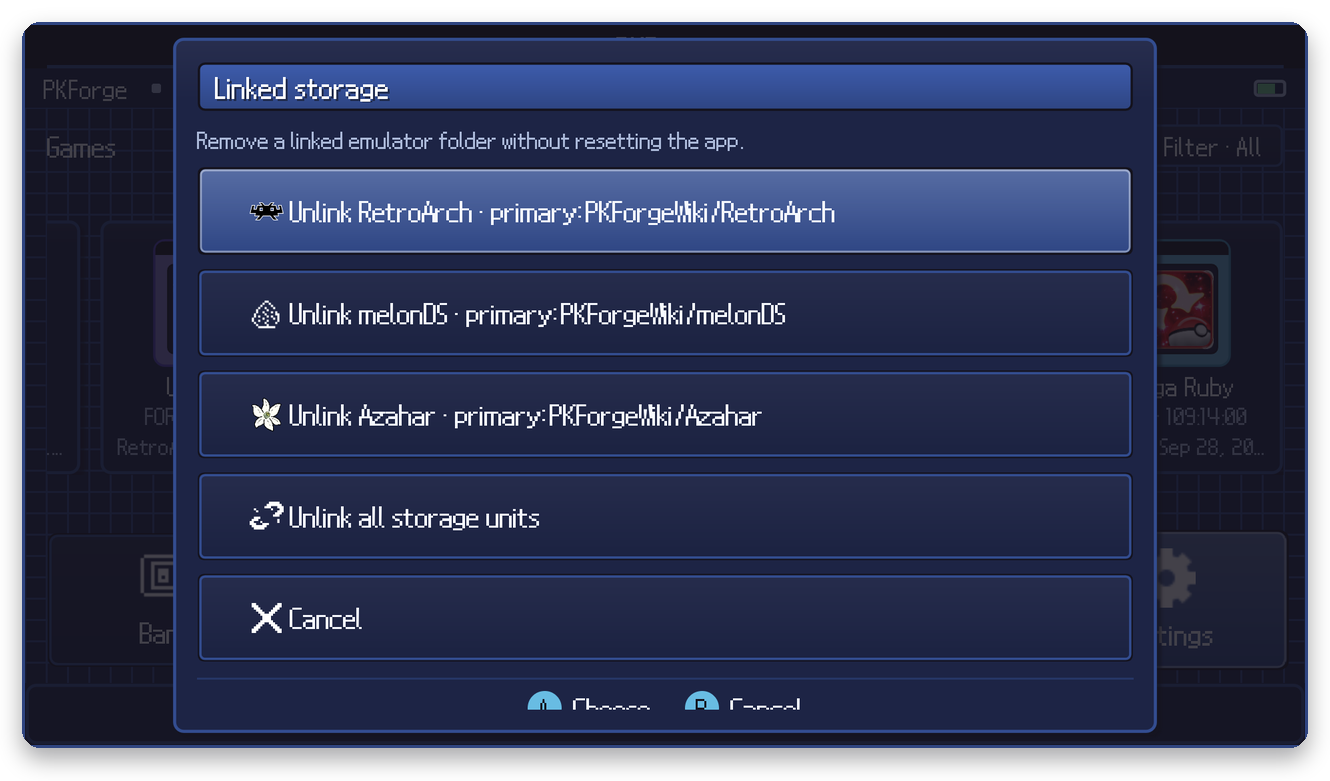
To remove a link: Settings > Manage linked storage > Unlink. Your files stay on the device.
Emulated consoles (3DS, Switch)
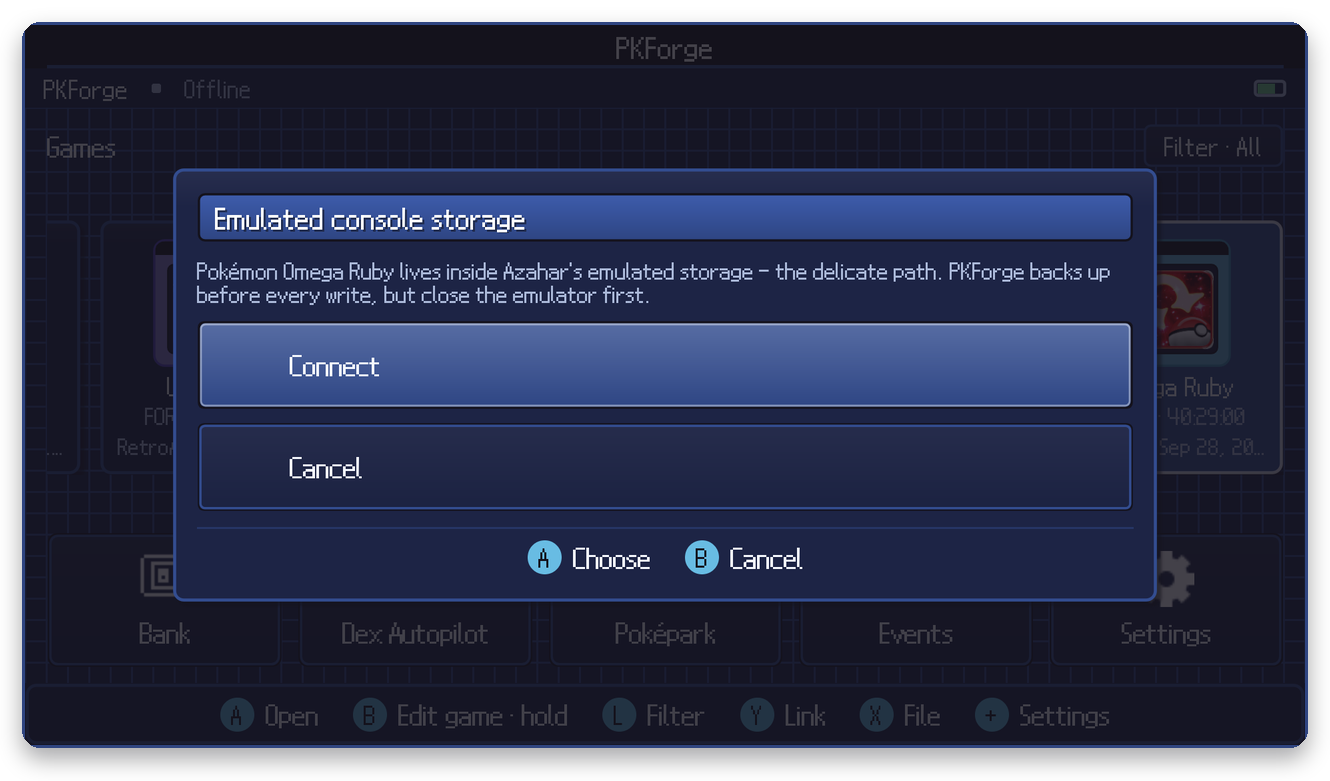
Saves inside Azahar, Citra MMJ or Eden live in the emulator's emulated SD card or NAND and are edited in place. PKForge asks you to confirm before connecting and backs the file up before every write. Close the emulator first.