
Restore points & write safety
PKForge writes directly into your emulator's save file. A write either completes or leaves the file unchanged, and each one can be undone from a restore point.
What happens on every write
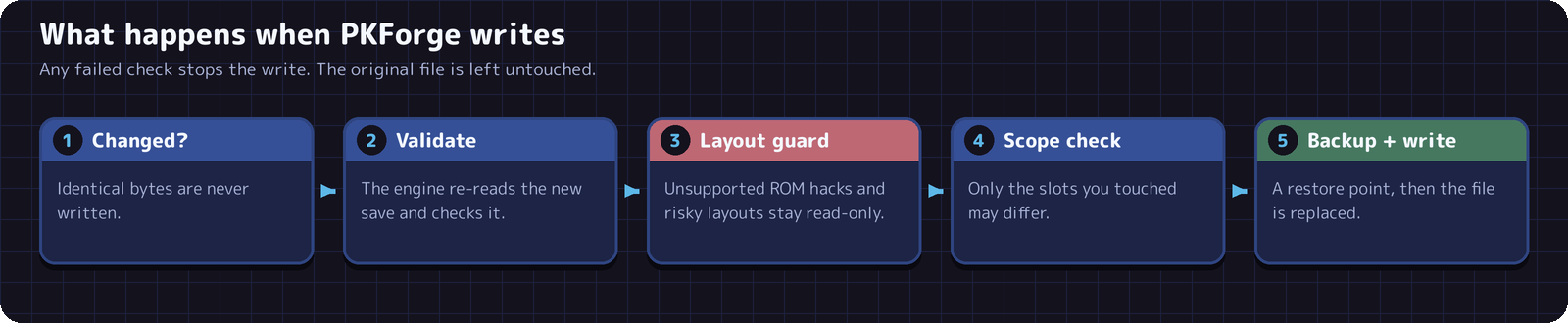
- If nothing changed, nothing is written.
- The engine re-reads the new save and checks it is valid.
- Suspected unsupported hacks may offer Browse read-only or Edit at my own risk. Known unsafe layouts remain read-only, and some unsupported CFRU game choices refuse writes outright. The risk choice does not make a hack supported (see ROM hacks).
- Only the slots you edited may differ from the original. Anything else changing stops the write.
- A restore point of the current file is taken, then the file is written.
When a check fails, the message says so and the original file is left as it was.
The container your emulator uses is kept as it was: RetroArch's compressed .srm, emulator padding at the end of GBA saves, DeSmuME footers on DS saves, GameCube .gci headers.
Restore points
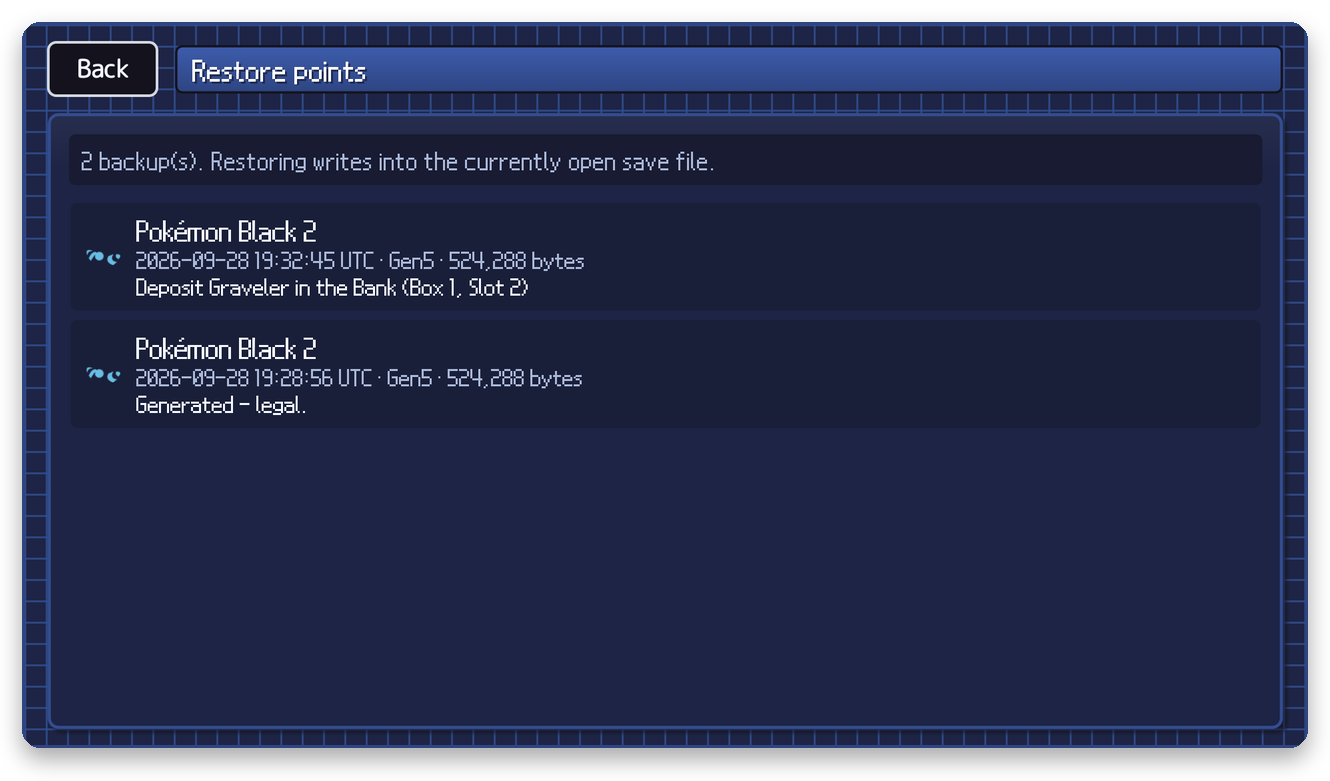
- Taken automatically before every write, including before a restore (Safety copy: the state right before this restore).
- Each one shows the game, the time, the generation and what the write was (Deposit Graveler in the Bank, Generated – legal…).
- PKForge keeps the 20 most recent restore points in total, across all your saves. Older ones are removed as new ones are made.
- Stored in PKForge's private storage, so they are deleted if you uninstall the app.
Open them from Settings > Restore points, or inside a save from Y (Save data) > Restore points.
Restoring
- Open the save you want to restore first. A restore writes into the save that is currently open.
- Open Restore points and pick an entry.
- Confirm. The current state is saved as a new restore point before the restore, so you can undo the restore itself.
Warning
The list shows the restore points of all your games. Check the game name and time before restoring: pick one that belongs to the save you have open.
Before and after editing
- Save in game and close the emulator before editing.
- After editing, start the game normally. Never load a save state made before the edit: it contains the old save and will overwrite your changes the next time the game saves.
- Keep your own copies of saves you care about: PKForge only keeps the 20 most recent restore points.